For independent artists and tattoo studios
Tattoo studio management software.
A client sends an idea, you work on the design and agree on the sessions. needlz keeps their references, appointments, deposits and documents with the project, on your phone.
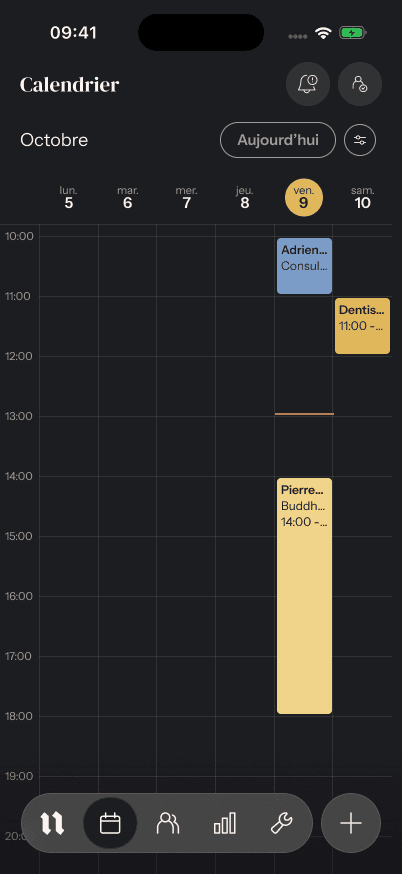
From the first request to the next session
Keep every project connected.
Receive the project
The client describes their idea and shares reference images on your mini-site. Discuss the project and agree on the session before putting a date in the calendar.
Collect the deposit
Prepare a text with a Stripe payment link, then send it from your phone. The deposit and remaining balance stay with the project. needlz adds no commission; Stripe fees still apply.
Prepare the session
The client completes and signs their consent form on their own phone. Find the encrypted form, appointment and ink batches linked to the session.
Keep the client history
Find payments, photos and sessions in the client record. Your mini-site explains aftercare; needlz prepares reminders and follow-ups for you to send from your own number.
What is included in needlz
- On your phone
- An iPhone and Android app in French, English and Spanish. Calendar, clients, projects and bookkeeping in one place.
- Your studio link
- A mini-site with a gallery, project request form, aftercare, FAQ and gift card sales.
- Your existing clients
- Import from phone contacts, your calendar or an export from other software.
- Availability and pricing
- The demo is open; the iOS and Android launch is coming. At launch: a 30-day trial with no card, then a monthly or yearly plan. Prices will be shown in the stores.
Questions
Before choosing your software.
Who is needlz for?
Independent tattoo artists and tattoo studios that want to manage projects, clients, sessions, deposits, consent forms and bookkeeping from their phone.
Can clients book a slot themselves?
No. Clients send a project request with references through the mini-site. The studio discusses the project, agrees on the session and asks for a deposit.
Are text messages sent automatically?
needlz prepares the message and tells you when to send it. You send it from your own phone and number. Texts are not sent from a server.
Does needlz charge a commission on deposits?
No. Payments go to the studio’s Stripe account. needlz adds no commission on deposits or gift cards; payment processor fees apply.
Can I try needlz now?
Yes, with the sample-studio demo, without installing anything. Choose “Talk about my studio” for a walkthrough with the team. The app is not yet available in the stores: you can also leave your email to hear when it launches.
Can I import my clients and calendar?
Yes. needlz imports phone contacts, calendar events and clients from an export of other software.
Choose and prepare your studio tools
Try a day at the studio.
Open the real app on a sample studio. Nothing to install.